Chat with us, powered by LiveChat

How to Wire the PureLine Master Flo ll 1Hp for 115v

The PureLine Master Flo ll 1Hp makes a great addition to the PureLine pump family. When installing the new Master Flo ll, you will notice that all the wiring originates from the top of the pump, making it easy to access. This guide is made to show step-by-step instructions on how to install the wires for 115V. This is for the PureLine Master Flo ll 1Hp single speed model.

Difficulty:

Intermediate

Tools Needed:

  • Needle-nose Pliers
  • Philips head screwdriver

Supplies Needed:

No items found.

Step 1

Remove the Power Cover Screws

Using the Philips head screwdriver, remove the 4 screws.

Note: Store the cover somewhere you won’t lose it.

Step 2

Set the Voltage to 115V with the Volt Block
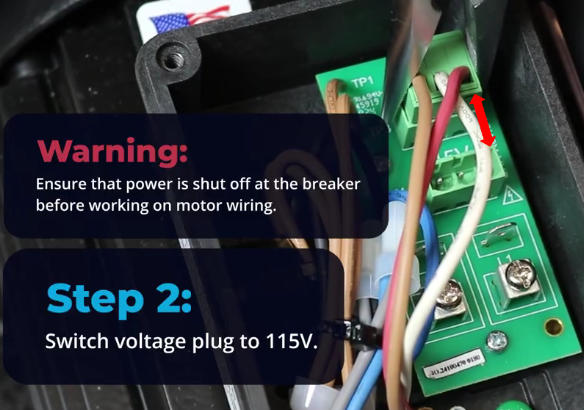
Using your needle-nose pliers, remove the green bus that is on the 230V block down to the 115V block.

Step 3

Connecting the Conduit

Connect the conduit liquid-tight elbow to the pump and pull the wires through. 

Step 4

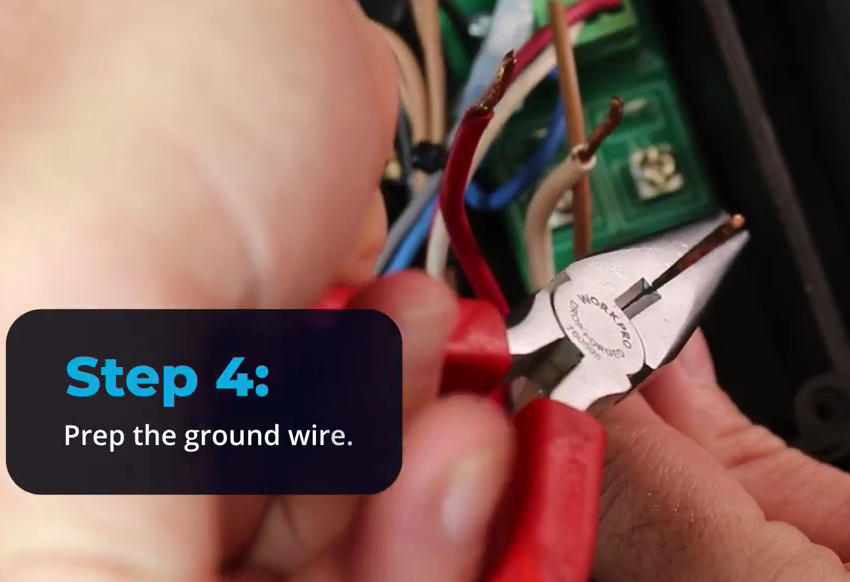
Prepare the Ground Wire

Using your Needle-nose pliers, make a candy cane shape bend in the ground wire.

Step 5

Connecting the Ground Wire

Using your Philips head screwdriver, loosen the green ground screw and connect the green ground wire to it.

Step 6

Connect the Power Wire to L1

Using the Philips head screwdriver, loosen the screws on terminals L1. Connect your power wire to L1.

Step 7

Connecting the Neutral Wire to L2
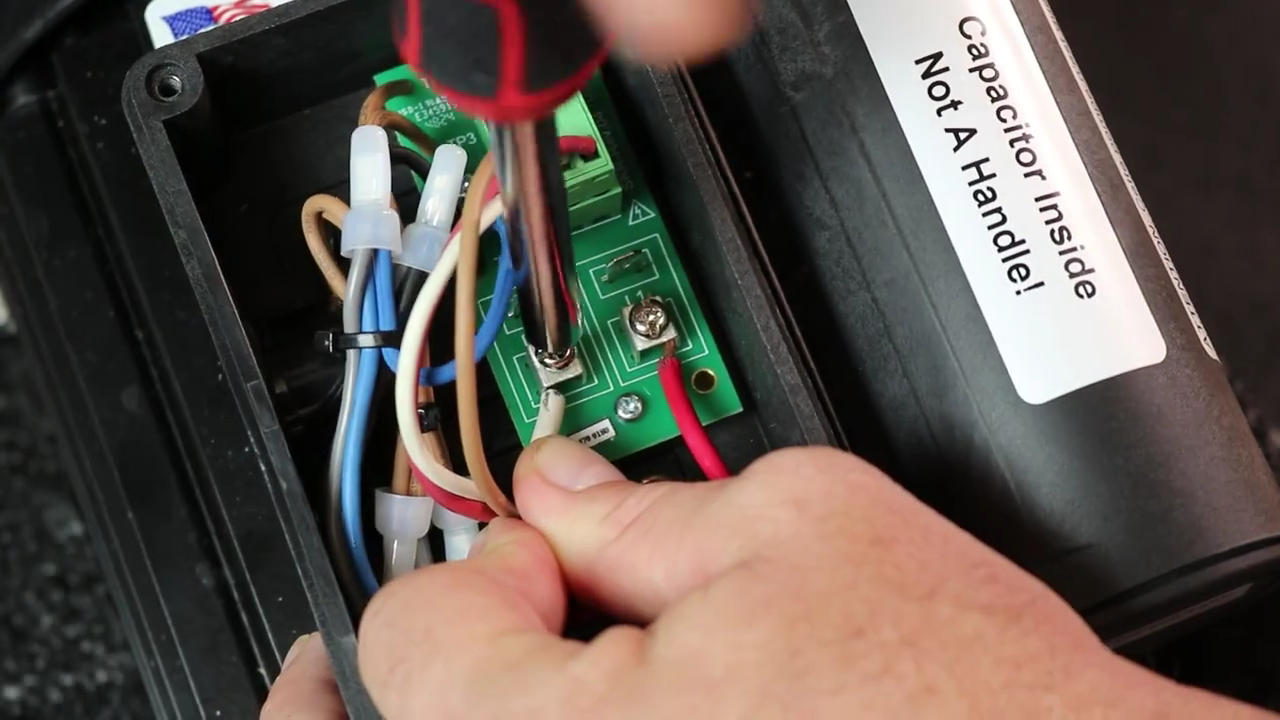
Using the Philips head screwdriver, loosen the terminal marked L2. Screw down to connect the neutral wire to this terminal.

Step 8

Reinstall the Cover

Using the Philips head screwdriver, tighten down the four screws to install the cover.

Step 9

Turn the Motor on to Make Sure Everything Works

Leave a Reply

Your email address will not be published. Required fields are marked *